![worth logo Dark.png 16-31-37-785 1.png]](https://support.worthscore.com/hs-fs/hubfs/worth%20logo%20Dark.png%2016-31-37-785%201.png?height=40&name=worth%20logo%20Dark.png%2016-31-37-785%201.png)
Introduction:
Mastercard MATCH (Member Alert to Control High-Risk Merchants) is used during merchant underwriting to identify merchants previously terminated for reasons such as fraud or excessive chargebacks\ I This article walks through how to get that set up.
Before You BeginHave the following ready before you start:
- Sponsor or acquiring bank contact information
- A risk or compliance contact at your bank who can submit requests to Mastercard
- Your ICA number (see Step 1), or someone at your bank who can provide it
Mastercard MATCH Enablement Process:
Step 1: Identify Your Acquirer's ICA Number
Mastercard assigns every acquirer an ICA number (Interbank Card Association number), a 4- to 6-digit ID. Your MATCH access must be tied to the correct ICA - the one for the acquirer your merchants process under.
Your Action: Ask your bank for your ICA number and share it with your Worth Implementation Manager.
Step 2: Your Bank Requests Mastercard's Approval
Mastercard authorizes access to MATCH through a framework it calls AN 8690. Under this framework, your sponsor or acquiring bank initiates Mastercard's authorization process to enable Worth to access MATCH on your behalf. This has to come from your bank ; Worth can't initiate the process directly.
Your Action: Contact your bank's risk or compliance team to start this request. Your Worth CSM will provide any supporting details your bank needs.
Note: If your acquiring relationship involves an intermediary processor, the request may need to route through them first. Ask your bank to confirm whether this applies to you.
Step 3: Mastercard Reviews and Approves the Request
Mastercard verifies the ICA, completes its review, and sends approval back to your bank.
Note: Timelines vary depending on your bank, Mastercard's review, and whether an intermediary processor is involved.
Your Action: Check in with your bank's compliance contact for status updates. Contact your Worth CSM if the request stalls.
What Happens After Approval?
Once Mastercard approves the request, Worth completes the remaining setup required to enable MATCH and coordinates your production go-live.
After go-live, MATCH results appear automatically in:
- Case Management (KYB tab)
- Worth 360 Report
- API
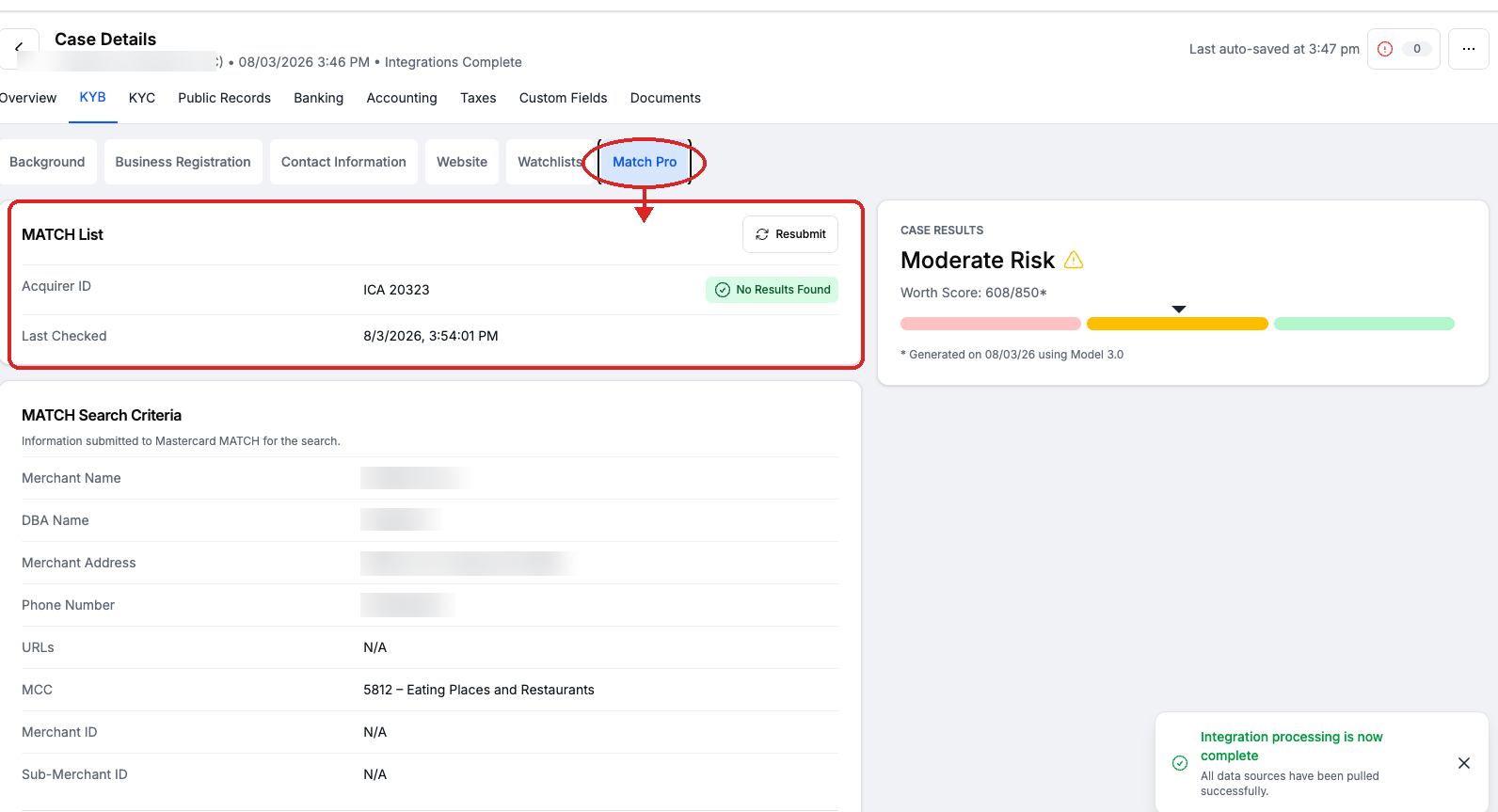
Figure 1. Example of a completed MATCH search with No Results Found, including the submitted search criteria in the Match Pro tab.
Frequently Asked Questions
- Does MATCH apply to my account?
- Only if you offer merchant service accounts: payment processing, acquiring, or ISO relationships. It doesn't apply to lenders, brokers, or other client types that don't board merchants for card payments.
- What is an ICA number?
- An ICA (Interbank Card Association) number is the ID Mastercard assigns to your acquiring bank. Your MATCH access is tied to this number.
- What is AN 8690?
- AN 8690 is Mastercard's framework for authorizing platforms like Worth to access MATCH on an acquirer's behalf. Your sponsor or acquiring bank initiates this authorization process with Mastercard. Worth cannot initiate the process directly.
- Do I need to contact Mastercard directly, or can I check MATCH myself?
- No, on both counts. Your bank handles all communication with Mastercard, and only Mastercard-accredited acquirers and processors can query MATCH directly. Worth can check MATCH on your behalf only once your bank's authorization is approved.
- Who should I contact if my bank has questions?
- Your Worth Implementation Manager or CSM can answer questions about what Worth needs and provide documentation. For questions about Mastercard's review itself, your bank will need to work with their Mastercard representative.
- What if my bank has never done this before?
- That's common. Worth has supported many clients through this process and can provide documentation to help guide your bank's team.
- Can I continue other setup work before Mastercard approves?
- Yes. You can continue onboarding and implementation work in your sandbox environment. Worth just can't turn on live MATCH checks until approval comes through.
- How long does this take?
- Implementation timelines vary depending on your acquiring bank, Mastercard's review process, and whether an intermediary processor is involved. Once approval is complete, Worth finishes the remaining setup and coordinates your production go-live.
- What if the process is delayed?
- Let your Worth CSM know. Approval timing is set by your bank and Mastercard, but we can help clarify what's needed.