![worth logo Dark.png 16-31-37-785 1.png]](https://support.worthscore.com/hs-fs/hubfs/worth%20logo%20Dark.png%2016-31-37-785%201.png?height=40&name=worth%20logo%20Dark.png%2016-31-37-785%201.png)
Introduction
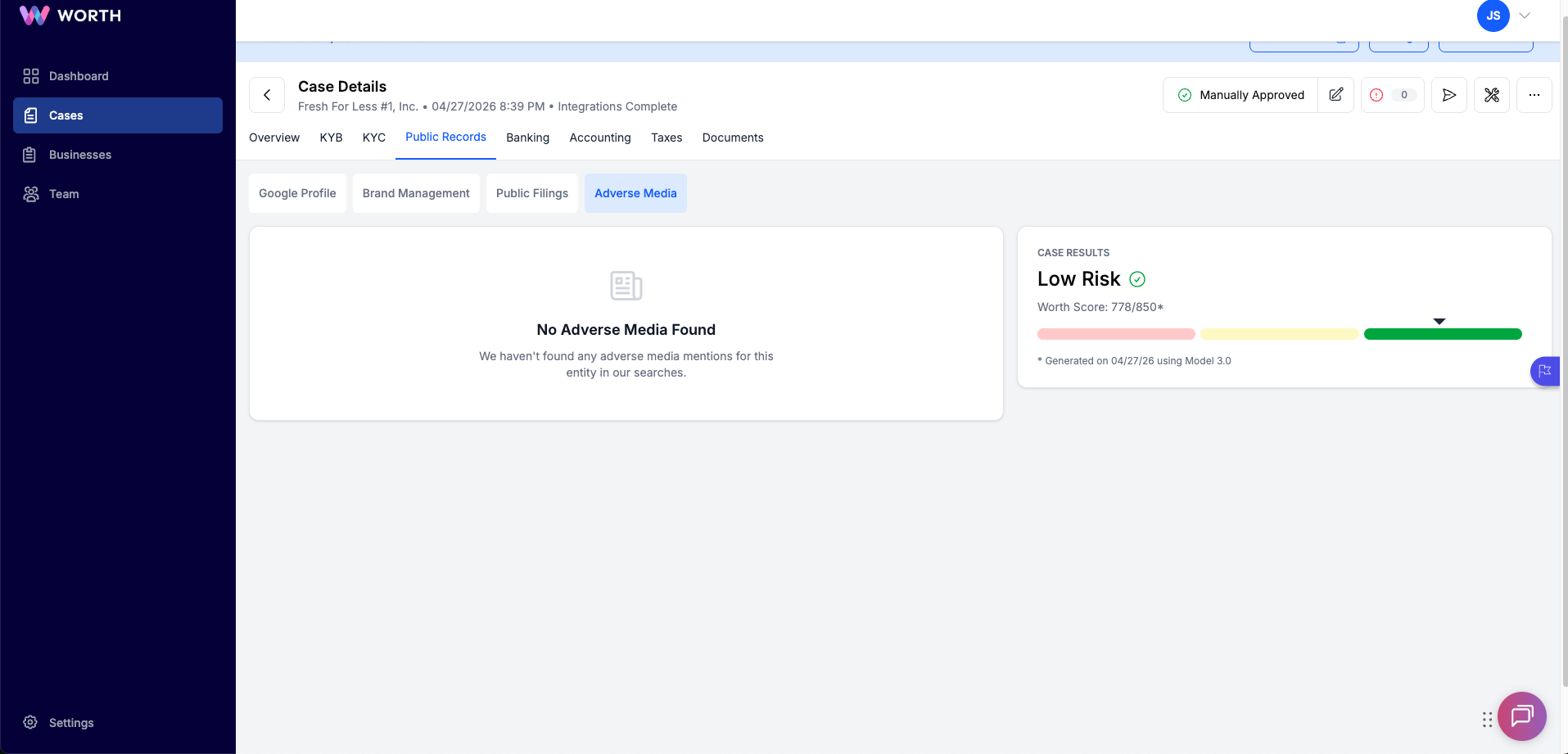
Adverse Media is a public records screening service that runs during onboarding to identify news articles and media coverage that may indicate potential risk associated with a business or its owners. Results are scored and classified by risk level to support underwriting decisions and compliance reviews.
Where to Find It
Adverse Media results are accessible in two places:
- Case Tab → Public Records tab → Adverse Media sub-tab
- 360 Report export
How the Search is Built
Worth constructs a search query for each case using the following data points:
- Business legal name, shortened variants, and DBA names
- Owner and control person names
- City and state (for geographic filtering)
- Adverse keywords, including:
- Fraud
- Lawsuit
- Bankruptcy
- Scandal
- Investigation
- Penalty
- Violation
- Criminal
- Arrest
- Conviction
Scoring Model
Each article is evaluated across three dimensions, each scored 1–10:
A composite Final Score is derived from all three dimensions and determines the Risk Level assigned to the article:
|
Final Score |
Risk Level |
|
8 – 10 |
HIGH |
|
5 – 7 |
MEDIUM |
|
1 – 4 |
LOW |
How Results Display in the Case
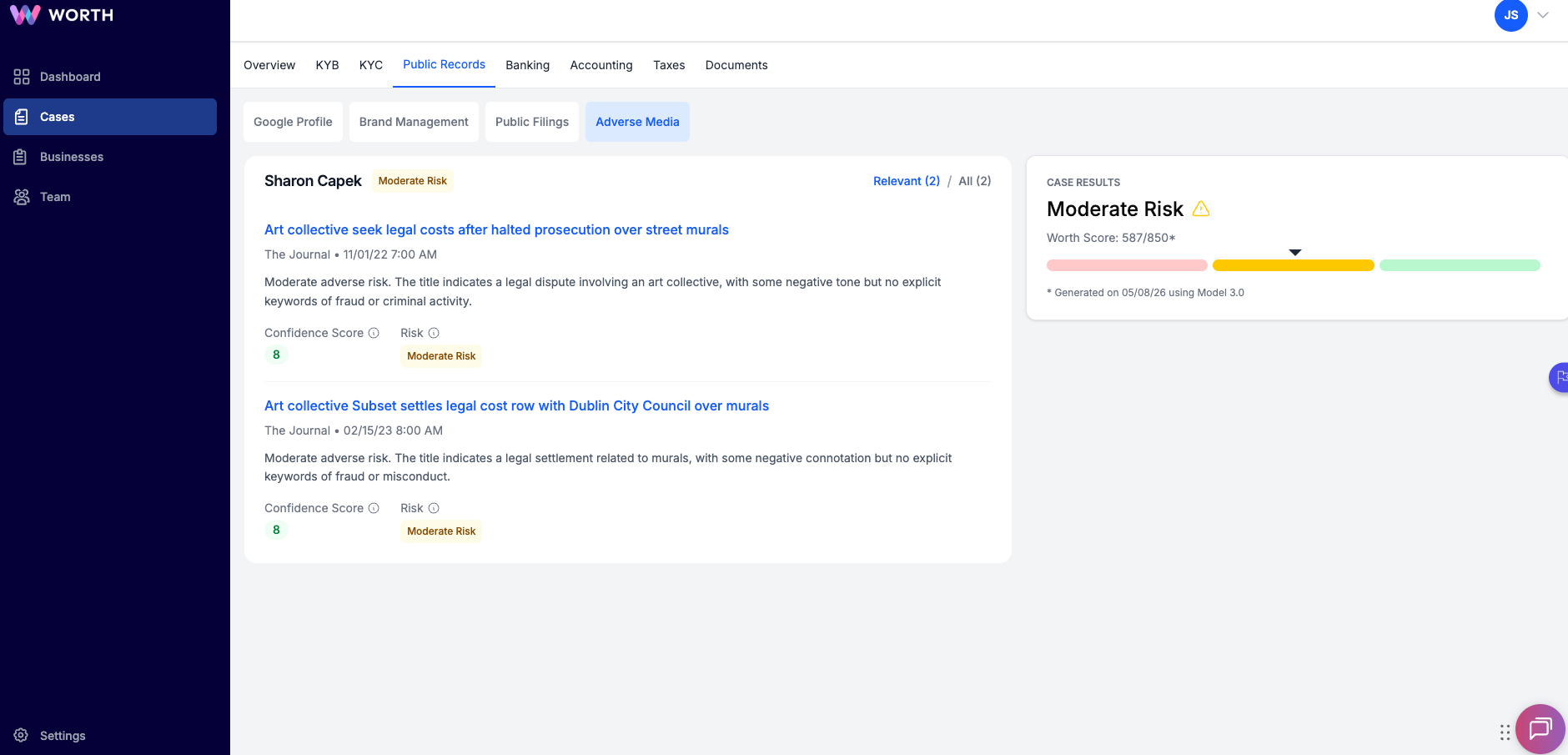
Results are grouped by entity, the business appears first, followed by individual owners listed alphabetically. Each article shows:
- Title (clickable link to original source)
- Source and publication date
- Risk description
- Match Score badge
- Risk Level badge
Default vs. All View
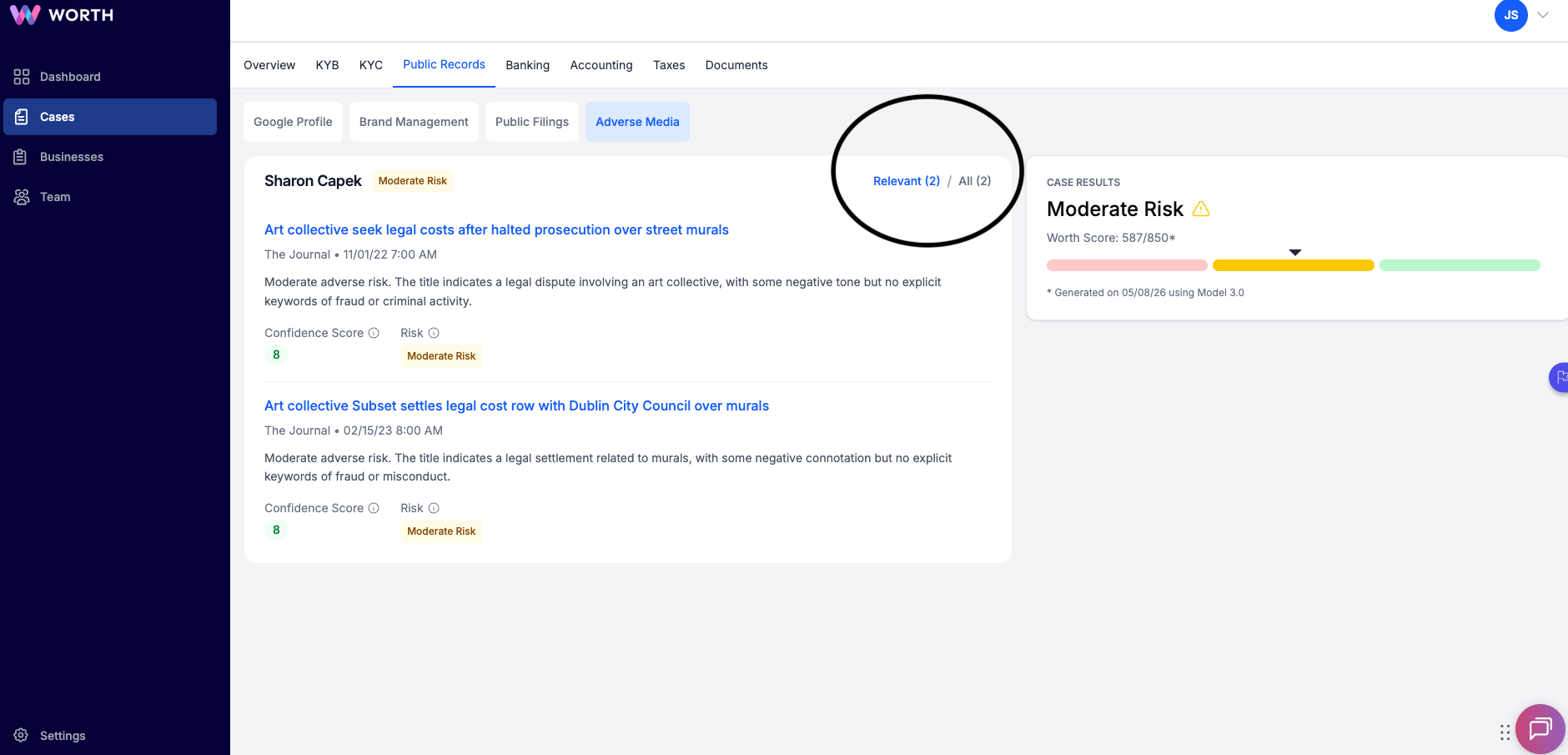
By default, the Relevant view filters results to articles where:
- Match Score is 8 or higher, AND
- Risk Level is MEDIUM or HIGH
To see all articles including low-confidence results, toggle to the All view.
⚠️ Note: Adverse media alone does NOT trigger Auto Reject. Post-Onboarding Risk Alerts
After a business is onboarded, Worth continues to monitor for new adverse media on a rolling 30-day cycle. A New Adverse Media risk alert fires when any new HIGH or MEDIUM article is detected.
Alert Configuration
- Alert severity: Medium
- Monitoring cadence: Every 30 days
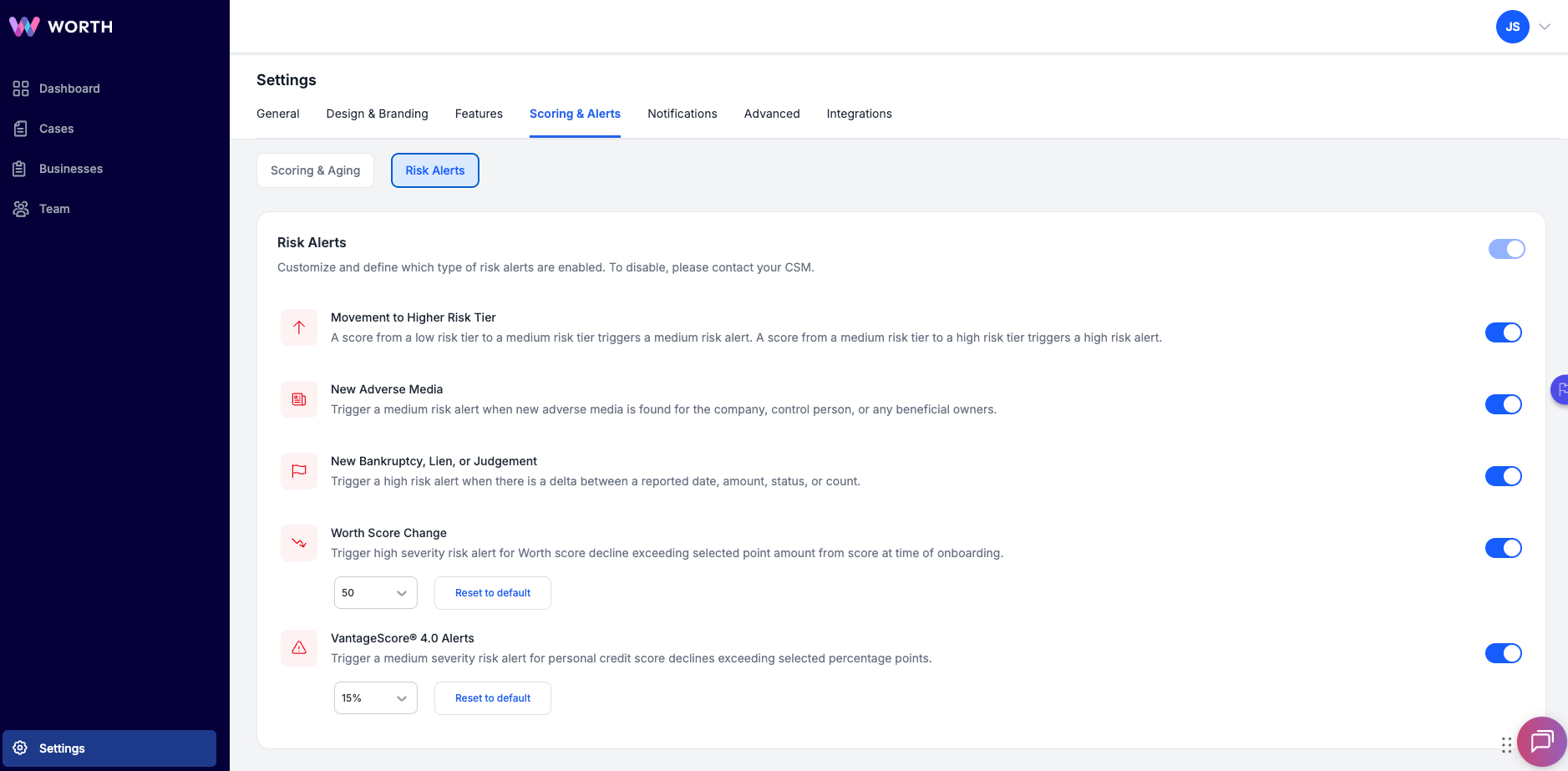
- Toggle location: → Settings → Scoring & Alerts → Risk Alerts → "New Adverse Media"
⚠️ Note: Both the master Risk Alerts toggle AND the New Adverse Media toggle must be ON for the alert to fire.
Configuration & Management
Adverse Media settings can be managed at multiple levels:
- Risk alert level: Settings → Scoring & Alerts (toggle alert on/off per customer)
- Individual business level: Toggle risk monitoring on/off from the Business Details page for specific accounts
- Disable entirely: Client must contact Customer Success to disable adverse media across the full account
Frequently Asked Questions
- Why does an article show as verified but not appear on the credit report?
- Adverse Media and credit report data come from separate sources and are not cross-referenced. An article surfaced in adverse media does not imply it will appear in credit data, and vice versa.
- How are false positives handled?
- Risk Cases can be reviewed and dismissed within Case Management. All dismissals are recorded in the audit trail for compliance purposes.
- Does adverse media monitoring cover business owners?
- Yes. Monitoring covers the business entity, control persons, and beneficial owners.
- Why is an article flagged but not impacting the decision?
- Only HIGH or MEDIUM articles route to Manual Review. LOW-risk articles are surfaced for visibility but do not affect auto decisioning outcomes.