![worth logo Dark.png 16-31-37-785 1.png]](https://support.worthscore.com/hs-fs/hubfs/worth%20logo%20Dark.png%2016-31-37-785%201.png?height=40&name=worth%20logo%20Dark.png%2016-31-37-785%201.png)
Introduction
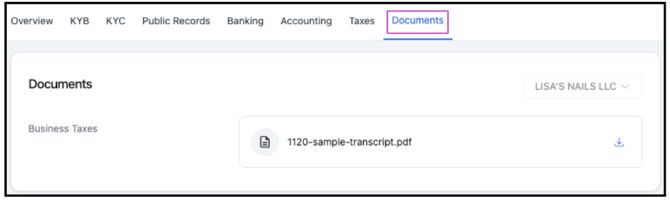
When an applicant submits tax transcripts during the application process, the document is automatically saved within their case record. It can be accessed at any time under the Taxes tab for reference. A copy is also stored in the Documents tab alongside any other uploaded or attached files, allowing all documents to be viewed in one place.
This article provides step-by-step instructions on how to locate the tax transcripts within the case.
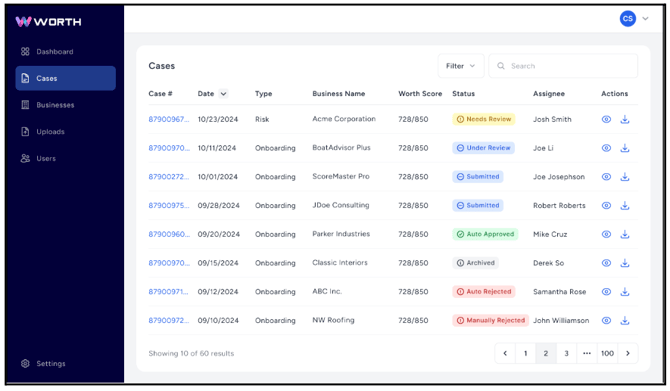
- Navigate to the Cases tab.
- Select the applicable Case # to open the case details.
-
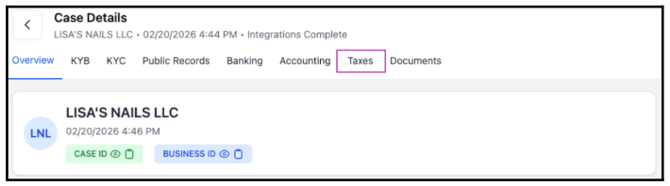
Within the case, select the Taxes tab.
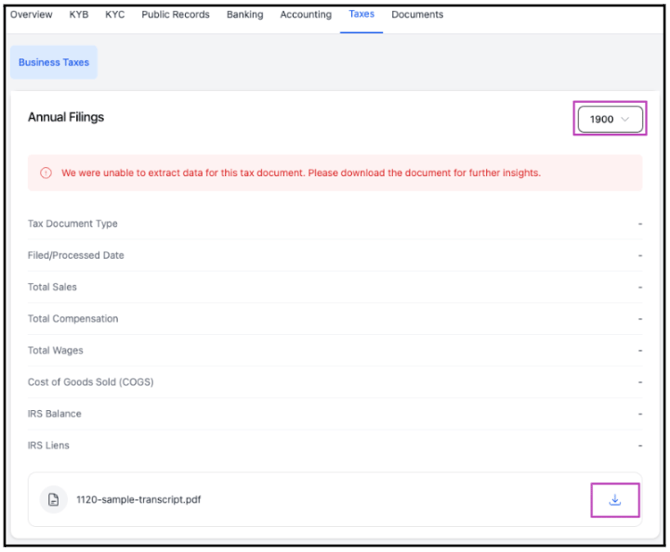
- If multiple transcripts are available, use the year dropdown menu to select the appropriate tax year.
- The system will automatically populate the corresponding tax fields. The displayed information will update based on the year selected from the dropdown.
- At the bottom of the page, the attached transcript (PDF) is available with an option to download.
In this example, a sample tax transcript was uploaded. As a result, no data is populated in the fields and the year appears as “1900”.
-
Transcripts can be accessed from the Documents tab, where all case-related files are stored in one location.