![worth logo Dark.png 16-31-37-785 1.png]](https://support.worthscore.com/hs-fs/hubfs/worth%20logo%20Dark.png%2016-31-37-785%201.png?height=40&name=worth%20logo%20Dark.png%2016-31-37-785%201.png)
Introduction
When an applicant connects their bank account using real-time verification (Plaid), the system can retrieve transaction history for the linked accounts. If transactions are available, users with the appropriate permissions can export them as a CSV. This guide walks through how to download that transaction history.
Note that accounts added manually through the Create Business endpoint will not appear—only Plaid-linked accounts populate this tab.
- Navigate to the Cases tab and select the relevant Case #.
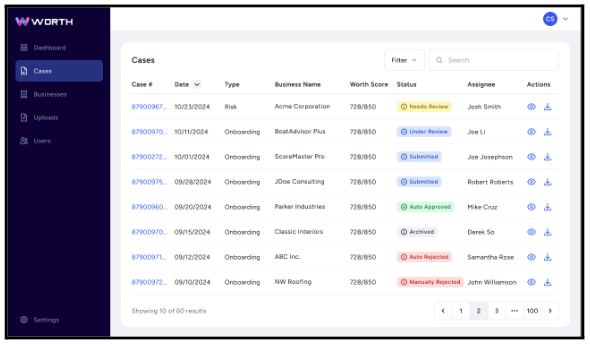
- Select the Banking tab.

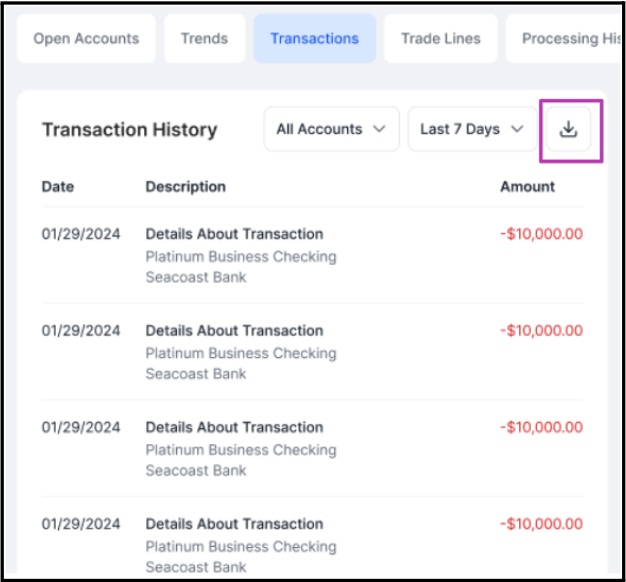
- Select Transactions to display the available records.
- Click the download icon to export the transactions as a CSV file.
For more information on the Banking tab, please refer to our Case > Banking Tab article.